Background Effect
This tutorial shows multiple ways to display a background in Wonderland Engine:
3D Background
Sky
Sky rendering has been there since the early games. It gives a sense of depth and virtually increases the size of the world to the player’s eye.
There are many techniques to render sky:
- Atmosphere rendering
- Cubemap image (also called “Skybox”)
- Equirectangular image
Currently, Wonderland Engine only supports the latter.
Equirectangular image
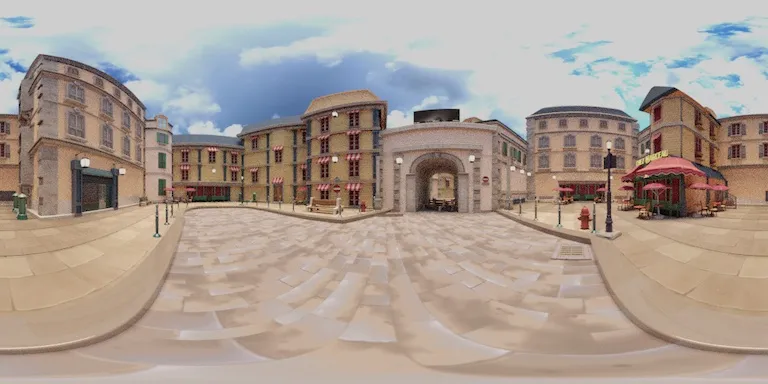
An equirectangular image is obtained by projecting a 360 degree image onto a flat surface. It has an aspect ratio of 2:1, so the width is twice as large as the height.
Below is an example of what an equirectangular looks like:
Let’s see how we can create a sky in Wonderland Engine!
Import
First, import your equirectangular image: drag’n’drop the file from a folder into the editor’s Assets Browser, then drag’n’drop the image from there into the Scene view to create a texture for it.
If you don’t have an equirectangular image, find some free options in the resources list below.
Material
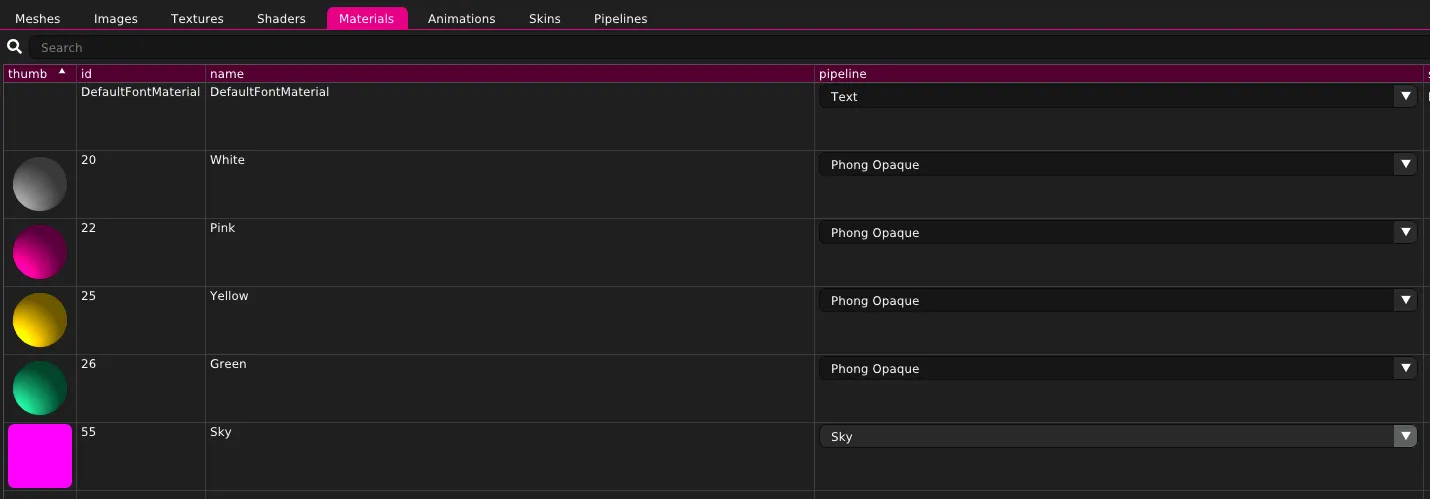
Create a material to render the sky texture:
- Go to
Views > Resources - Select the
Materialstab - On the upper right, click
Create - Double-click the
nameto rename it (optional) - Select
Skyin the dropdown in thepipelinecolumn
You will end up with a resources list that looks like that:
Render Settings
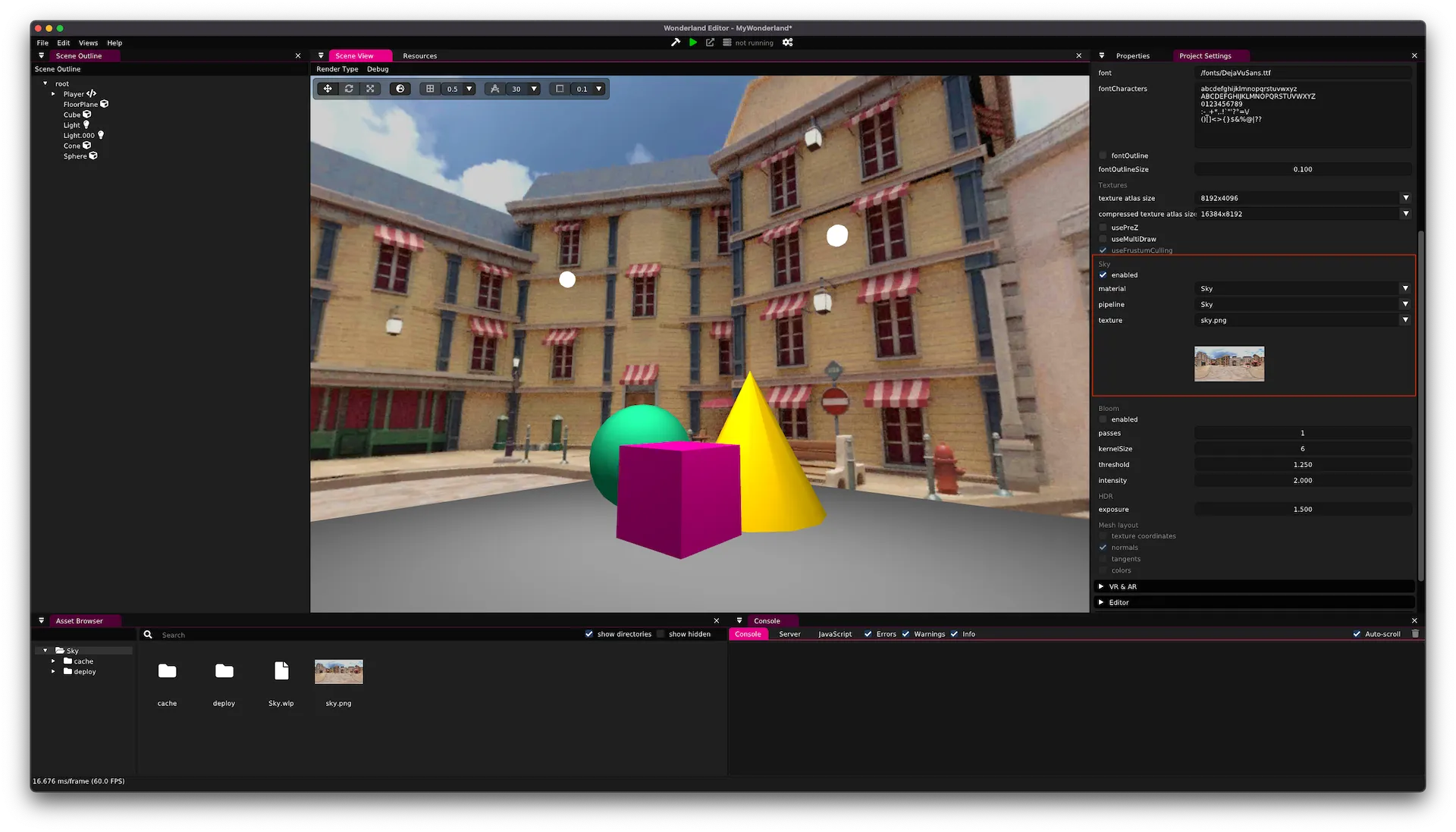
We can now link the sky material to the sky renderer:
- Go to
Views > Project Settings - Scroll to
Renderingand open the section - Scroll to
Skyand click onenabled - Assign the sky material to the
materialdropdown - Set the
textureproperty to the sky texture
Gradient
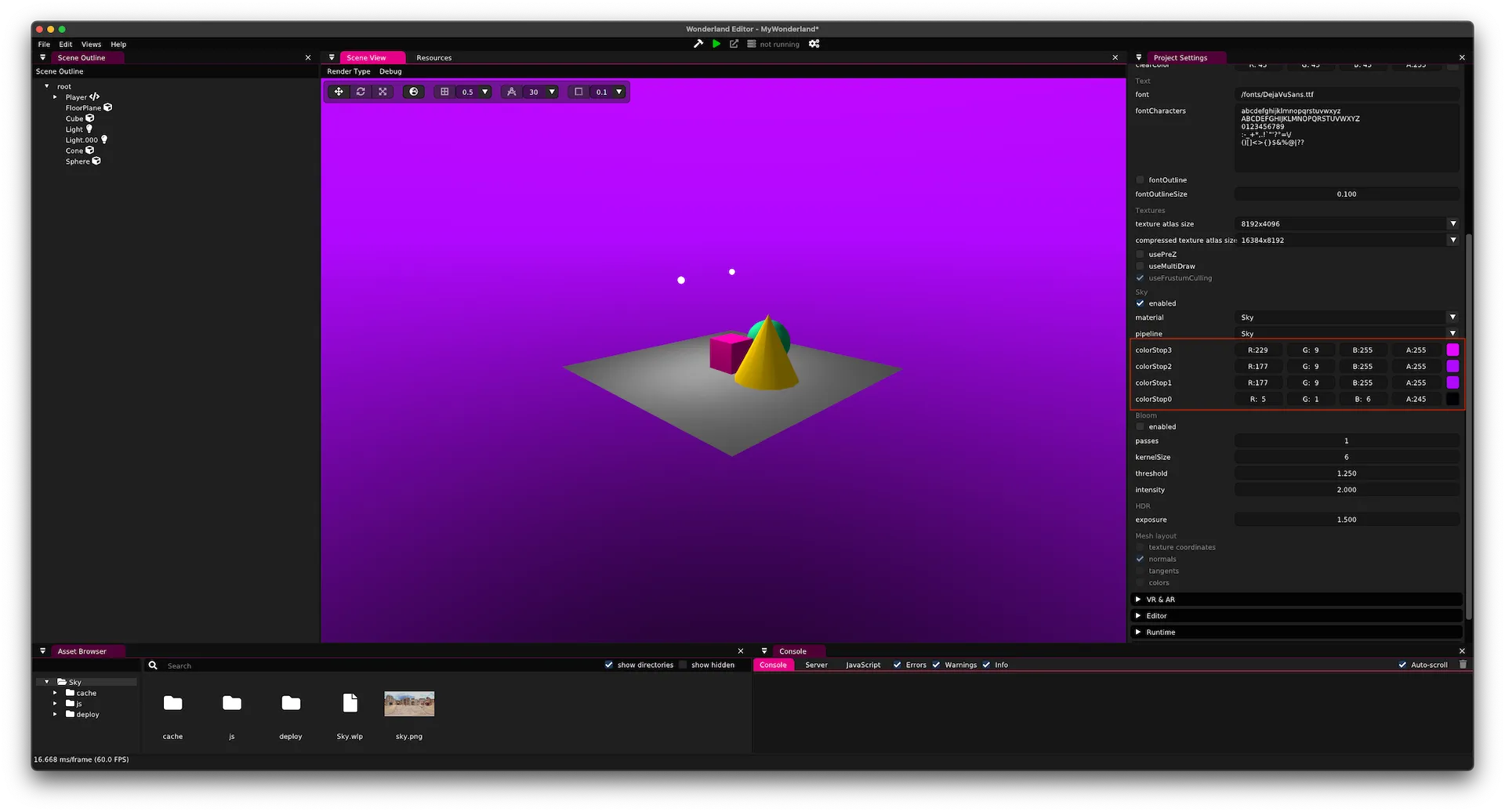
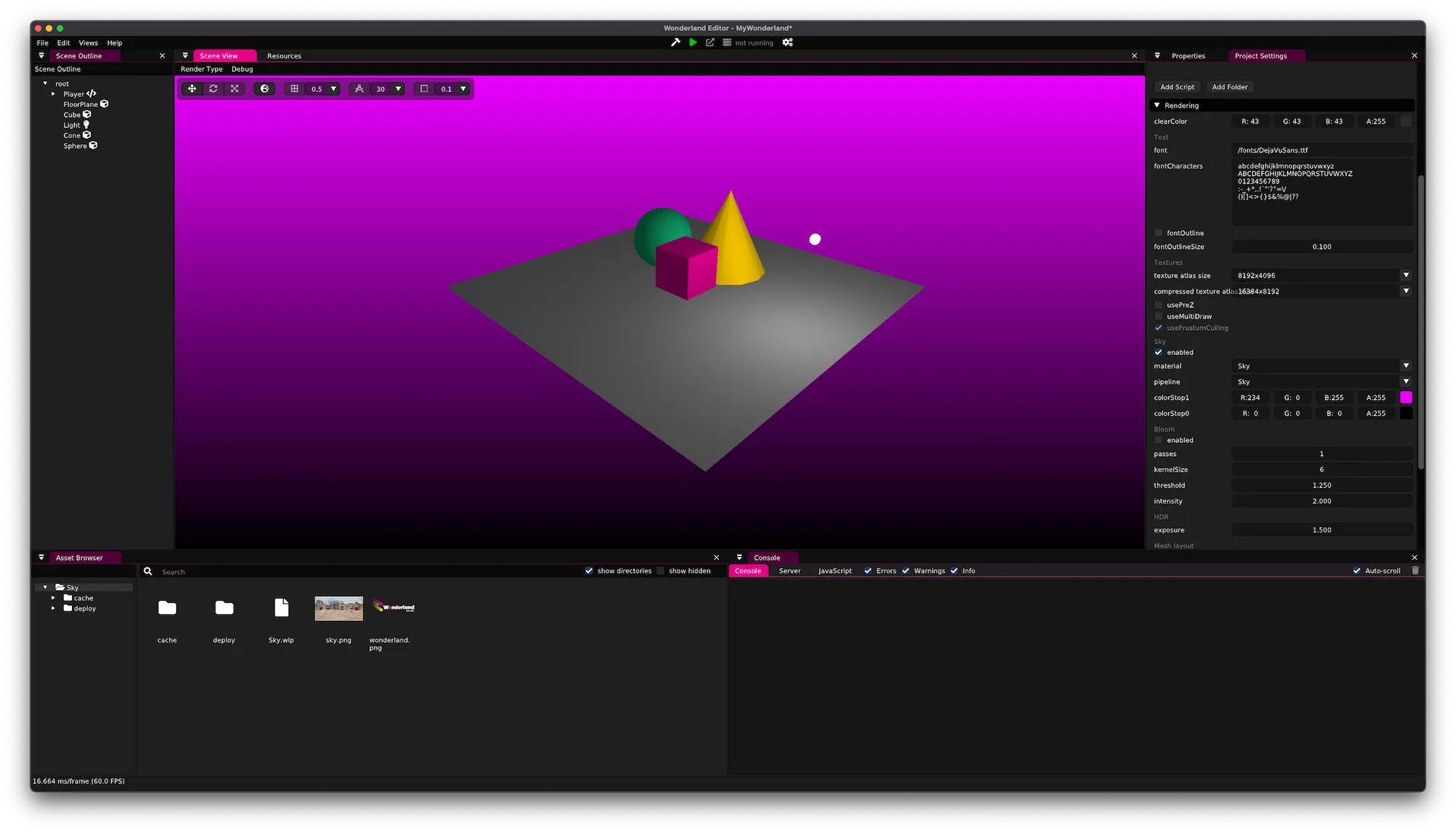
Besides using a texture, you can also use two and four color-stop gradients.
Update the Sky pipeline and toggle on the GRADIENT or GRADIENT_4_STOPS features.
Once the pipeline is updated, edit the sky material colorStop properties:
2D Background
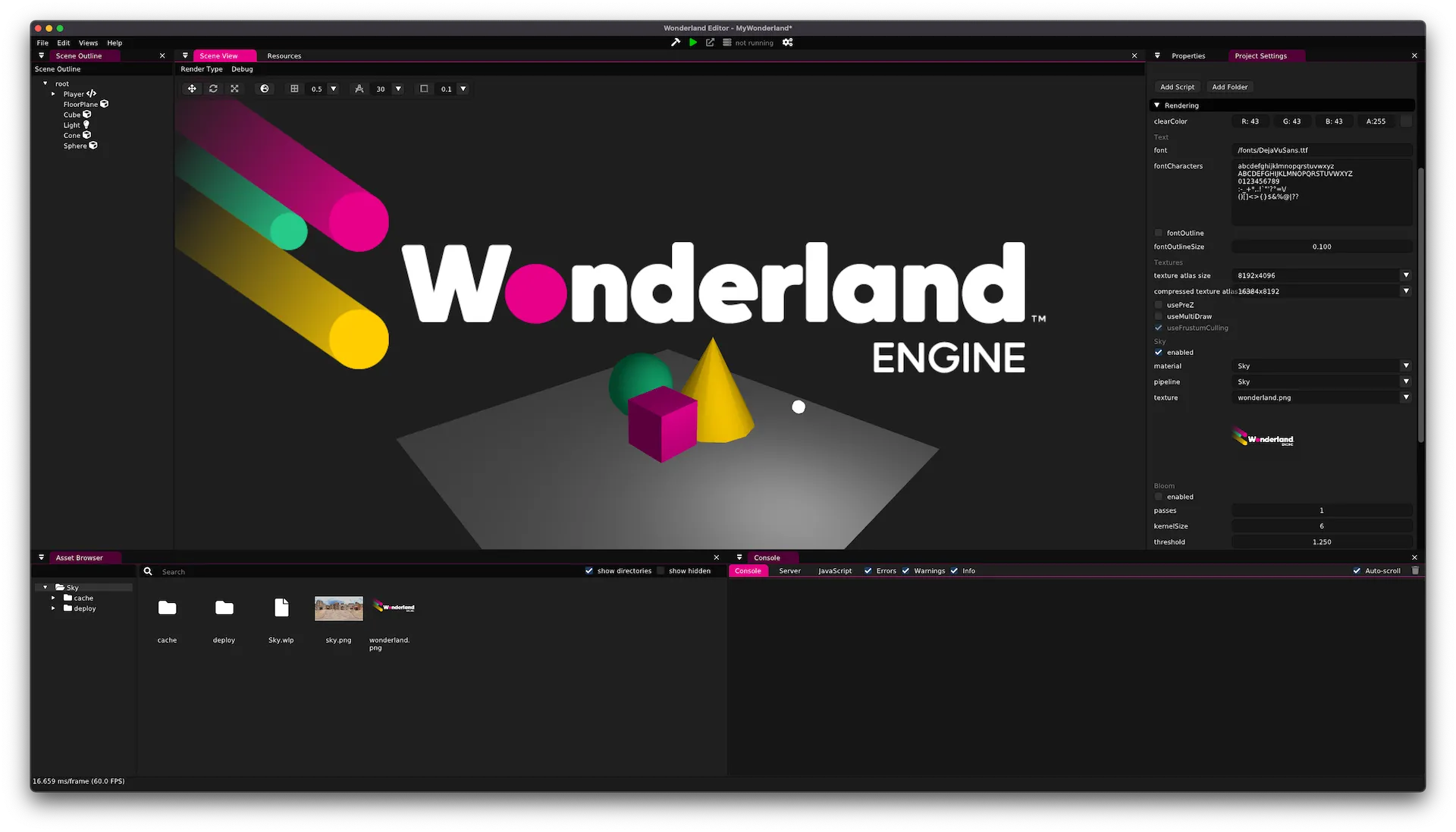
Wonderland Engine also supports 2-dimensional background images and gradients.
To use it, change the shader property of the Sky pipeline to Background to render in 2D.
In 2D, the textures / gradients will be displayed identically no matter where the camera is looking at:
Resources
Here is a non-exhaustive list of websites with free equirectangular images:
Overview
Wonderland Engine is a web-based 3D engine for 3D, VR, and AR.
Get Started
Quick start guides for Wonderland Engine.
Editor Overview
The visual editor allows import of 3D assets and configuration of custom JavaScript components.
API Reference
Wonderland Engine JavaScript API reference.
Tutorials
Byte-sized knowledge.